I ran into a problem today where I was setting the value of a radio button in Tapestry 5 to a long field within a property. I was getting back the value “on” and Tapestry was crashing trying to coerce it into a long type. It turns out the value was null, and the default value for a radio button is “on”. So, if you encounter this, make sure your value fields are not null.
Category Archives: java
A couple of Netbeans issues
I think this is week 3 of Netbeans now, so I’ve used it a bit longer than planned. I found a couple of things that are annoying.
- I miss the synchronize view in Eclipse. There is a simple “Show Changes” view that shows all of your subversion changes, but it isn’t hierarchical at all. I had to do a massive commit today, and it was very tedious selecting each file without being able to select whole directory structures.
- It seems to hide certain project files from you, kind of like Visual Studio. For example, in one of my Maven based projects, I had a README.txt at the top level, and I can’t see it in the “Projects” view. If I go to the “Files” view, I can see it, but then I don’t get any other organizational stuff, like source folders.
The end of Netbeans week

I have finished my week of Netbeans usage and so far am pretty impressed. I was able to go all week without using Eclipse once. A large part of that is thanks to the fact that I’ve been using Maven 2 for a large number of my most recent projects. If you have a pom.xml, Netbeans will be able to check out your project and open it without you doing a single bit of configuration. This is great, since it goes a long way in preventing IDE lock-in. If you are working on a Maven project, you can use Netbeans easily, even if everyone else is using Eclipse. I didn’t get very deep into working on non-Maven projects, so that may have been quite a bit more hassle. All in all, though, Netbeans has come a long way since the last time I gave it a serious test. Here are some of my favorite features:
- Autocomplete seems quite a bit faster than Eclipse
- Maven integration is good, but I only briefly tried projects with parent-child relationships, which seemed to trip it up a bit
- Adding getters/setters is a lot less hassle than Eclipse.
- Using jetty:run right inside Netbeans was pretty easy, though it did require the use of external Maven, I’m not sure why.
- The web.xml editor is pretty cool
- It has a built in SOAP client, although it seems pretty clunky.
- SVN integration seems complete and not very buggy. The interfaces are quick and simple, though I might say it’s a bit oversimplified from the way Eclipse does things.
- The built in editor support for non-Java files seems less buggy than in Eclipse.
I may give Netbeans another week. It should be pretty obvious to anyone that it takes longer than a week to fully get a feel for such a complicated piece of software.
The modern Java web app
I’m always looking for ways to streamline Java web app development. In case I haven’t spread the word to you, here’s the current set of technologies I’m liking:
- Tapestry 5 – This is the framework I’m using, but I’m not saying it’s better than anything in particular, but I like some of the stuff they are doing.
- Hibernate with annotations – I’ve been a big fan of hibernate for a long time, using the annotations seems to simplify the mapping process quite a bit.
- Spring Hibernate integration – makes transaction/error handling way way easier in Hibernate. I am using HibernateDaoSupport as a base class. Tapestry 5 also has Spring integration, allowing you to inject the DAO’s right into your page classes
- Maven 2 – So much easier than ant and dependency hell, once you get used to the paradigm shift. It might cause issues with your Eclipse tomcat integration, but I always found that to be flaky anyway. Use Jetty instead.
- Maven Jetty plugin – Allows you to build/deploy your app with one command (mvn clean jetty:run). Much easier than dealing with some of the flakiness of tomcat deployment, and allows you to just run one of your apps at a time.
I am also looking into Spring Security, and hoping it will simplify authorization, and I’m doing some IDE evaluations to see if it’s time to ditch Eclipse.
IDE of the week: Netbeans 6.1
Happy Monday morning. After battling with Maven and the Tomcat plugin in Eclipse a bit last week, I have decided to try some alternative IDEs. I’ve heard good things about IntelliJ, and I think the Maven integration in Netbeans is supposed to be good. So, I’ve decided to give each of them a week of use and see if they can beat out Eclipse. This week is Netbeans 6.1. So far, I’ve spent a few minutes installing updates and reading up on the Maven support (you have to install a plugin through the plugin manager). Now that the plugin is installed, it automatically recognizes Maven projects when I check them out, so that is cool. Hopefully I can make it through the week without reverting to Eclipse.
Tapestry 5: First Impressions
My new group at ASU is loosely standardizing on Tapestry, so I’ve been spending some time learning it. We are officially using 4.1, I think, since it’s the latest official release, but I decided to go all rogue style and switch to 5.0 after spending some time on 4.1. From the noise on the web, it sounds like Tapestry gets completely rewritten for every new version, so 5.0 is pretty different from 4.1. Anyway, it seems much better, but there are still some weird problems. Here are some of the interesting things I’ve run into:
- If you need to call some Tapestry page from an outside app with data, you can simulate Tapestry’s “activation/passivation” by building URL strings which will feed your onActivate method. They look like this: http://localhost:8080/app/page/param1/param2, where param1 and param2 will be passed in a List (not an array, as I found out the hard way) to onActivate. I’m not sure if this is the best way to do it.
- If you loop through a list of items and want to be able to edit those items (like by having a checkbox), you pretty much need to set up a PrimaryKeyEncoder, otherwise it will serialize/deserialize stuff and all your changes will be lost. This was very hard to figure out.
So far I’m only moderately impressed. There seem to be too many assumptions that don’t fit the model of my first app very well, but we’ll see how it goes once I get better at it.
Getting tomcat to stop deleting your context xml files
I’ve been plagued with this annoying problem in tomcat for about a year, and it has been driving me crazy. I’ve looked through the code, joined the mailing list, etc. etc. The problem is when you have context xml files, such as /usr/local/tomcat/conf/Catalina/localhost/app.xml. Generally, you would use such files to set up JNDI data sources for database connections, but I also use them to set up configuration beans in order to keep environment-specific data outside of your application code (which I consider the whole war file to be). Anyway, tomcat seems to randomly delete those files when I change anything in the application files. I tried various configurations using war files, no war files, and war files in funny locations, and it happened to all of them.
I never did find out why it deletes the files, but I did find a solution, thanks to a user on the tomcat mailing list. All you have to do is turn off “autoDeploy” on the “Host”. Basically, you need to edit /usr/local/tomcat/conf/server.xml and change the xml element, so that it says autoDeploy=”false” instead of autoDeploy=”true”. And with that, all my problems are over.
Sakai and the App Builder plugin

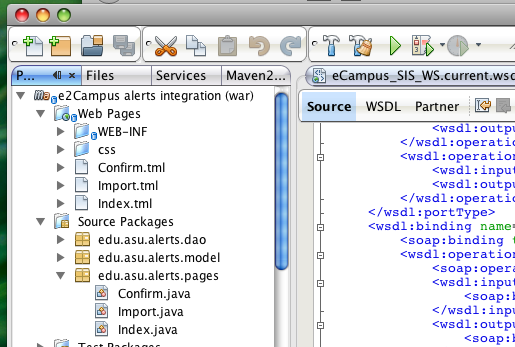
So, I am trying to jump into Sakai development by writing a tool that can keep a log of email conversations between instructors and students. Since I’m new to Sakai, I will probably end up starting over a few times before I figure out the best way to develop. I decided, at the advice of a coworker to start using RSF and the App Builder plugin. So far, it’s pretty intimidating. I started by doing a full CRUD framework, since that is one of the options for the plugin. I think digesting RSF and the way they set up their Hibernate stuff at the same time is a bit much, so I’ve gone backwards to starting with their hello world app, which I’m going to try to convert into a number guessing game to give me a handle on session management, RSF, etc. It seems like there is a pretty serious lack of any tutorials that go beyond modifying the hello world to say something different. The whole video tutorial thing is pretty cool, so maybe I’ll make one if I get far enough along. But for now, I can recommend starting with hello world if you don’t know RSF already. I can also say that RSF looks pretty nice so far. Much simpler than JSF but some of the same good ideas.
Drupal 5.7 on Resin 3.1.4
So, in case you didn’t hear, Caucho has a component called Quercus built into their Resin product which is a pure Java PHP interpreter. With this product, it is claimed that one can achieve 4x performance gains with Drupal (phew…that was a lot of links). The concept of being able to call into Java code as well seems appealing to me. Although Drupal is now at version 6.0, I tried it with 5.7, since I know most modules work with 5.x, but I’m not sure about 6. Here’s a quick guide…
- Download Caucho Resin 3.1.4 (open source)
- Download Drupal 5.7
- Unzip Resin
- Put a copy of mysql JDBC driver in the lib directory under resin
- Put a copy of JavaMail mail.jar in the lib directory also
- Create mysql database for drupal and a user to access it
- Go into webapps under the resin directory
- Unzip drupal here
- Rename drupal-5.7 to drupal
- Create WEB-INF/resin-web.xml under the drupal directory:
jdbc:mysql://localhost:3306/databasename
username
password
index.php - Modify drupal/sites/default/settings.php
- Change database name
- Change username/password
- Start resin (java -jar lib/resin.jar)
- Go to http://localhost:8080/drupal/install.php (you need to explicitly go to install.php, since drupal gets confused about the modified settings.php, but no data in the db)
- Your drupal should now be functional