Monthly Archives: October 2008

A couple of Netbeans issues

I think this is week 3 of Netbeans now, so I’ve used it a bit longer than planned. I found a couple of things that are annoying.

  • I miss the synchronize view in Eclipse. There is a simple “Show Changes” view that shows all of your subversion changes, but it isn’t hierarchical at all. I had to do a massive commit today, and it was very tedious selecting each file without being able to select whole directory structures.
  • It seems to hide certain project files from you, kind of like Visual Studio. For example, in one of my Maven based projects, I had a README.txt at the top level, and I can’t see it in the “Projects” view. If I go to the “Files” view, I can see it, but then I don’t get any other organizational stuff, like source folders.

Why you SHOULD use a case sensitive file system on your Mac

There is a lot of noise on the Internet saying case sensitive file systems on the Mac are bad. I guess if you are running Adobe apps, you can listen to that, since they are apparently developed sloppily and depend on a lack of case sensitivity. Any real developer, however, will find that the lack of case sensitivity causes problems. Here are two I recently ran into that ended up wasting a LOT of time debugging:

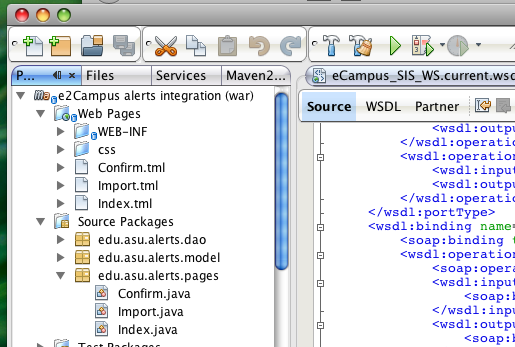
  • In Tapestry 5, a lot of effort has been made to make things not case sensitive. Developing a t5 app on my Mac, I had that in my head, and created some page templates using all lower case, and their Java classes in typical upper camel case. I ran the app and tested it out until I was satisfied it was working. I deployed it to the Unix dev server and it mysteriously stopped working. It turns out, it searches for page templates based on the case sensitive class name. So my Index class was looking for the file Index.tml. I had index.tml. On the Mac, the OS returns index.tml when you look for Index.tml. Worst of all, I had to use a Unix machine to rename the files in the SVN repository because the Mac refused to acknowledge any change.
  • Working on another project, I had a directory structure that had a directory in all caps. I needed to change it to lower case. Once that was done, I tried to commit the changes to SVN. I got this:

    svn: Commit failed (details follow):
    svn: Server sent unexpected return value (405 Method Not Allowed) in response to MKCOL request for ‘/svn/!svn/wrk/626a333b-f635-42b4-896e-5df2dd0475c2/ecampus/src/com’

    Not cool.

The end of Netbeans week


I have finished my week of Netbeans usage and so far am pretty impressed. I was able to go all week without using Eclipse once. A large part of that is thanks to the fact that I’ve been using Maven 2 for a large number of my most recent projects. If you have a pom.xml, Netbeans will be able to check out your project and open it without you doing a single bit of configuration. This is great, since it goes a long way in preventing IDE lock-in. If you are working on a Maven project, you can use Netbeans easily, even if everyone else is using Eclipse. I didn’t get very deep into working on non-Maven projects, so that may have been quite a bit more hassle. All in all, though, Netbeans has come a long way since the last time I gave it a serious test. Here are some of my favorite features:

  • Autocomplete seems quite a bit faster than Eclipse
  • Maven integration is good, but I only briefly tried projects with parent-child relationships, which seemed to trip it up a bit
  • Adding getters/setters is a lot less hassle than Eclipse.
  • Using jetty:run right inside Netbeans was pretty easy, though it did require the use of external Maven, I’m not sure why.
  • The web.xml editor is pretty cool
  • It has a built in SOAP client, although it seems pretty clunky.
  • SVN integration seems complete and not very buggy. The interfaces are quick and simple, though I might say it’s a bit oversimplified from the way Eclipse does things.
  • The built in editor support for non-Java files seems less buggy than in Eclipse.

I may give Netbeans another week. It should be pretty obvious to anyone that it takes longer than a week to fully get a feel for such a complicated piece of software.
The modern Java web app

I’m always looking for ways to streamline Java web app development. In case I haven’t spread the word to you, here’s the current set of technologies I’m liking:

  • Tapestry 5 – This is the framework I’m using, but I’m not saying it’s better than anything in particular, but I like some of the stuff they are doing.
  • Hibernate with annotations – I’ve been a big fan of hibernate for a long time, using the annotations seems to simplify the mapping process quite a bit.
  • Spring Hibernate integration – makes transaction/error handling way way easier in Hibernate. I am using HibernateDaoSupport as a base class. Tapestry 5 also has Spring integration, allowing you to inject the DAO’s right into your page classes
  • Maven 2 – So much easier than ant and dependency hell, once you get used to the paradigm shift. It might cause issues with your Eclipse tomcat integration, but I always found that to be flaky anyway. Use Jetty instead.
  • Maven Jetty plugin – Allows you to build/deploy your app with one command (mvn clean jetty:run). Much easier than dealing with some of the flakiness of tomcat deployment, and allows you to just run one of your apps at a time.

I am also looking into Spring Security, and hoping it will simplify authorization, and I’m doing some IDE evaluations to see if it’s time to ditch Eclipse.

IDE of the week: Netbeans 6.1

Happy Monday morning. After battling with Maven and the Tomcat plugin in Eclipse a bit last week, I have decided to try some alternative IDEs. I’ve heard good things about IntelliJ, and I think the Maven integration in Netbeans is supposed to be good. So, I’ve decided to give each of them a week of use and see if they can beat out Eclipse. This week is Netbeans 6.1. So far, I’ve spent a few minutes installing updates and reading up on the Maven support (you have to install a plugin through the plugin manager). Now that the plugin is installed, it automatically recognizes Maven projects when I check them out, so that is cool. Hopefully I can make it through the week without reverting to Eclipse.